Scientific Workflow System

Xplanner

Led UX design and research for an early-stage platform, shaping the core experience from concept to initial product direction.
Role
UX Strategy & UI
Information Architecture
Branding
Tools
Figma
Illustrator

Goal

Define and validate a new approach for managing lab experiments through a visual, structured workflow that supports both planning and real-time execution.

The Challenges

Business Challenges

Unified platform
Create one system for experiment planning, execution, and documentation.
Real flexibility
Support diverse research workflows where each experiment is different and protocols constantly evolve.
Effortless adoption
Enable researchers to adopt the tool without adding work to their overloaded schedule.

Design Challenges

Unfamiliar domain
Design for a complex scientific environment where a single experiment spans hours with parallel processes.
Lab conditions
Account for gloves, distance from screen, and high cognitive load during experiments.

Competitive Analysis

Before designing the experience, I looked at existing lab tools to understand the patterns researchers already expect.
Simple pen & Paper

Text-based protocols

Experiments are primarily documented as written text rather than visual workflows.
Common

Documentation and records

Designed to capture protocols, observations, and experiment history.
Common

Linear structure

Experiments are organized as sequential steps, read from top to bottom.
Common

Manual input

Researchers are expected to write and maintain information themselves.
Common
User Research

We conducted in-depth interviews with lab managers, doctoral researchers, and research assistants across different lab types, spanning biomechanics, biology, and chemistry.

Prof. Mirit

Lab Manager
Mechanical Engineering
Documentation gaps
Overloaded
Extra work
Runs an Agile lab, but documentation still slips. "If a tool doesn't help from day one, there's no time for it."

Hani

Research Assistant
Biomechanics Lab
Scattered records
Memory based
Not repeatable
Protocols live in a Word file and a notebook, but most work done from memory, so documentation gaps only surface when someone else has to repeat it.

Hadar & Ortal

Industry Researchers
Rigid tools
Text-heavy
No overview
Years on Benchling and LabGuru, both rigid and text-heavy, with no way to see an experiment as a whole, visually.
User quote
"We need to see the experiment as a visual flow, not scroll through endless text. One look and you know exactly where you are."
Hadar, Industry Researcher

Key Insights

01
One workspace
Researchers switch between 3+ tools per experiment. There is no single source of truth for protocols, labware, and results.
02
A visual workflow
Scientists think about experiments as visual, schematic processes, not as text documents.
03
No extra work
Researchers won't adopt any tool that adds work to their already overloaded schedule.

Design

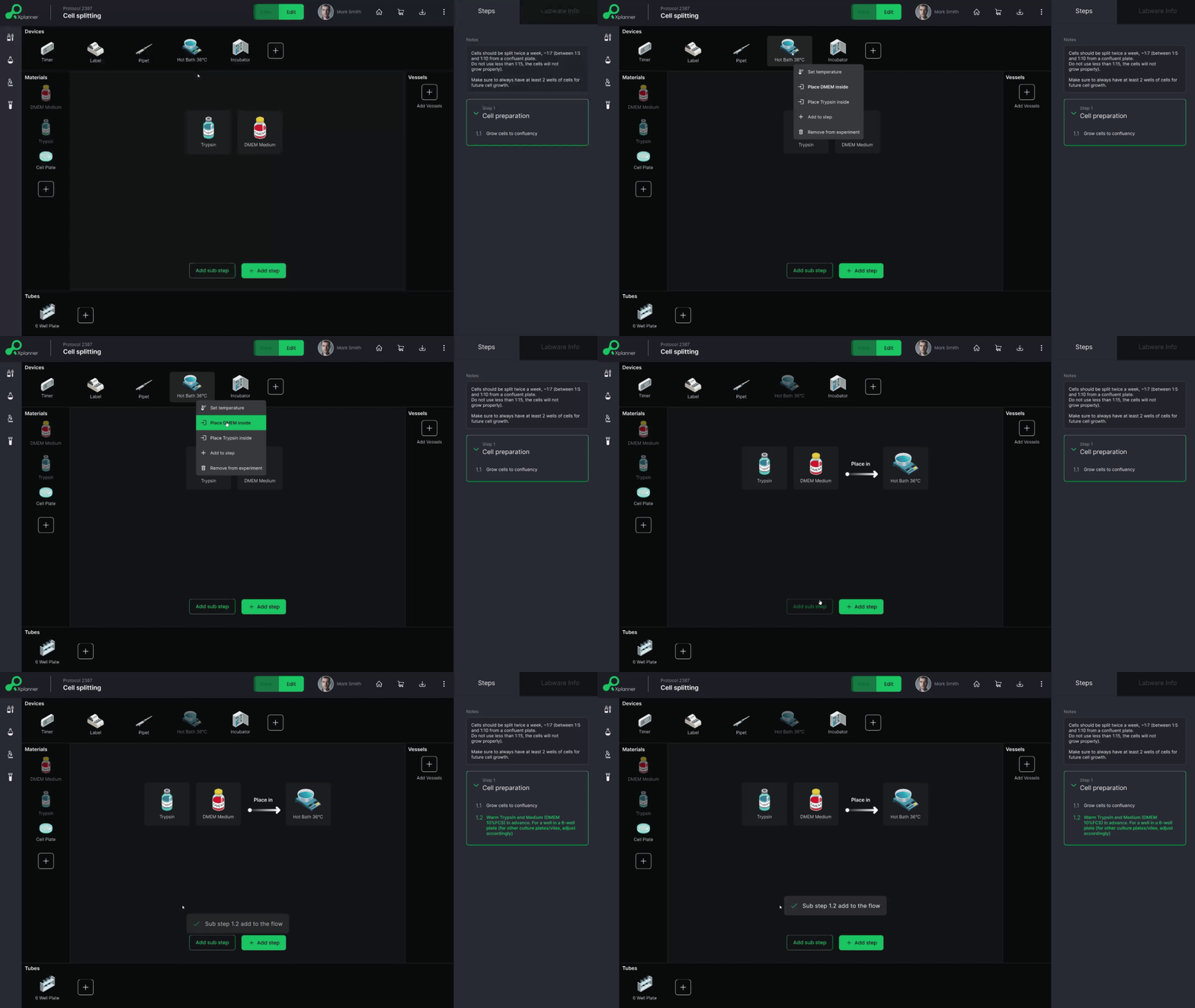
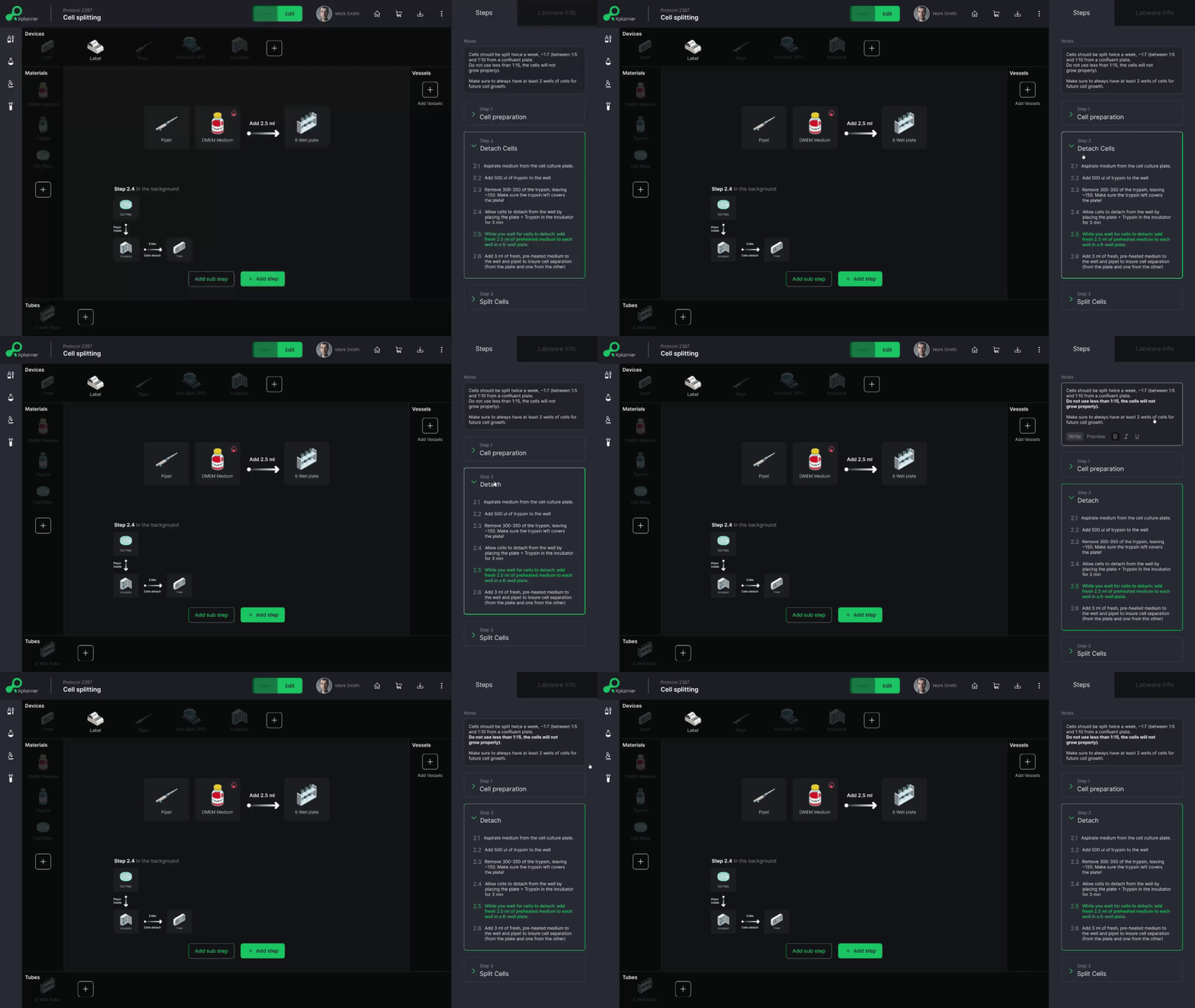
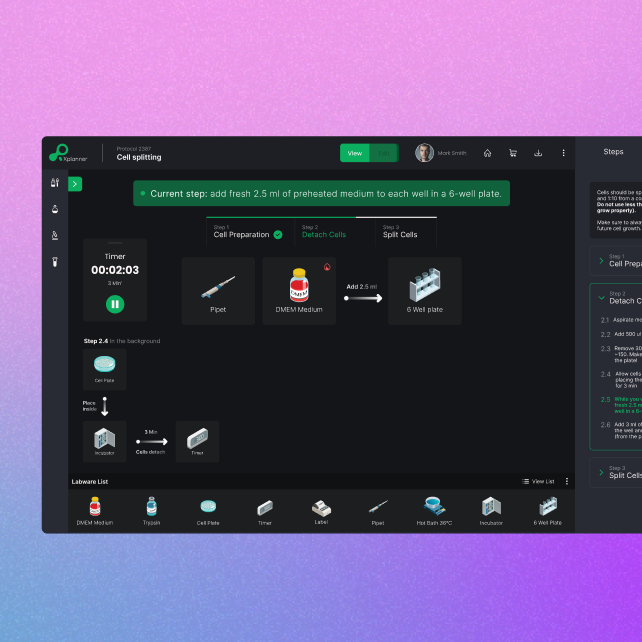
Building the experiment as a visual flow

Researchers described experiments as processes, not documents.
To support that, I designed the setup as a visual workflow, connecting materials, equipment, and actions in context instead of text.
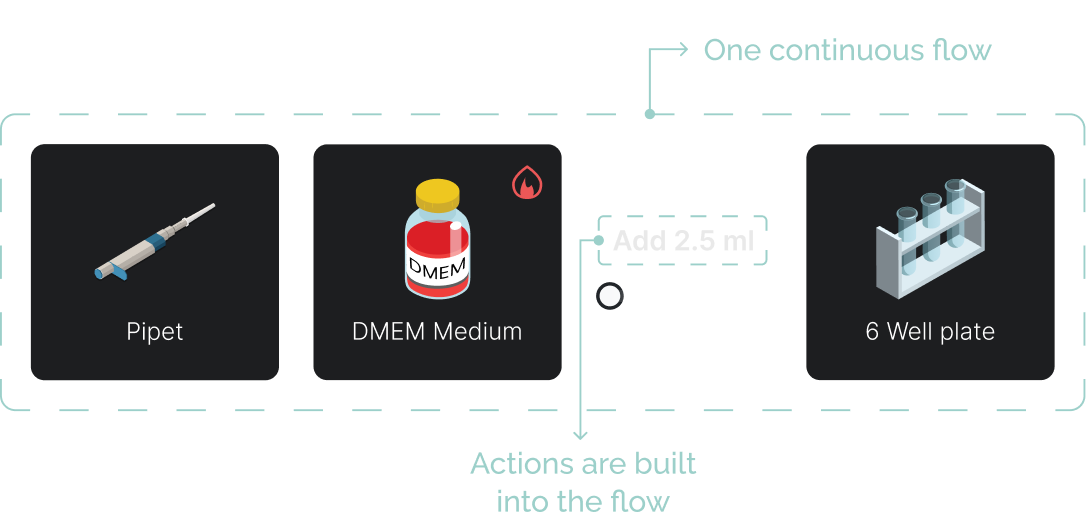
Closer look: One continuous flow
An experiment is defined by the relationships between materials, equipment, and actions.
I kept them in one visual flow, allowing the protocol to be understood through context instead of text.

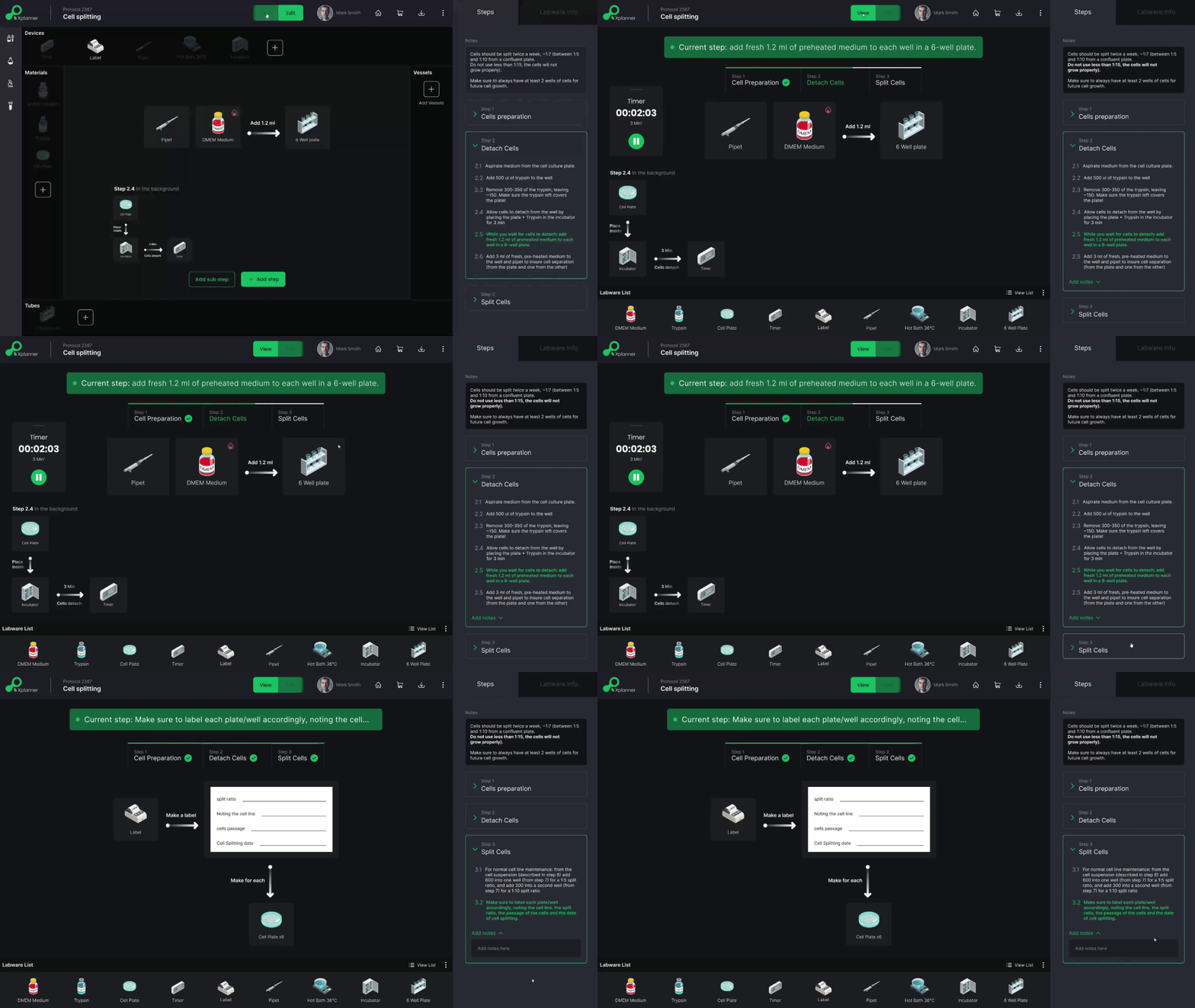
Running the experiment in the same flow

During a live experiment, attention is split and hands are busy.
To reduce that load, I kept execution inside the same flow researchers already built, keeping the current step and progress always visible so nothing has to be re-learned mid-task.
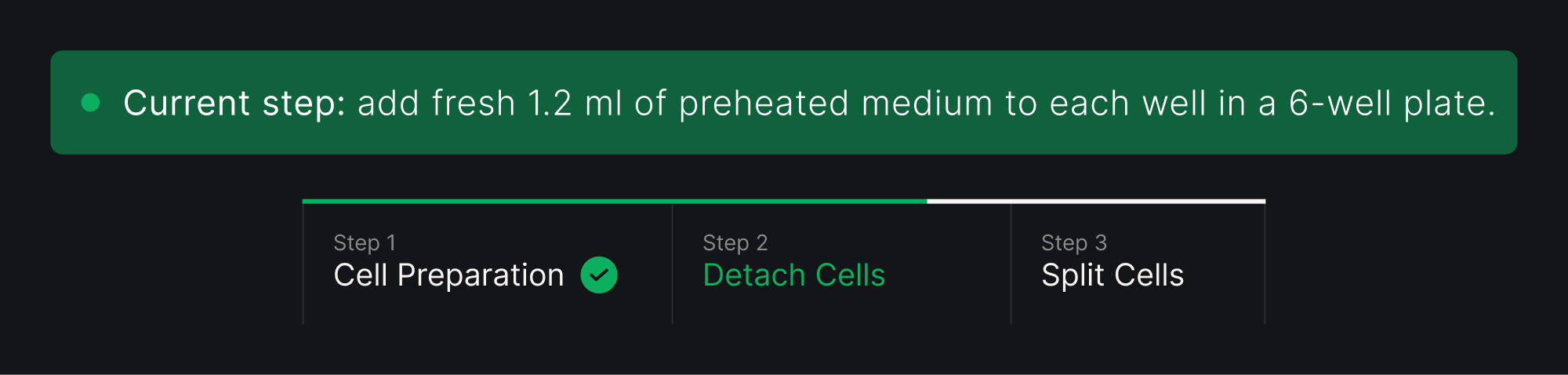
Closer look: Stay oriented
Experiments are rarely completed in one uninterrupted session.
To make returning easier, I kept the current step and overall progress visible, so researchers do not have to retrace the protocol after looking away.

Editing without leaving the flow

Protocols rarely stay fixed once work begins.
To support those small adjustments, I kept editing inside the same workspace instead of moving researchers to a separate screen, so the experiment never disappears from view.
Closer look: Adding or editing notes
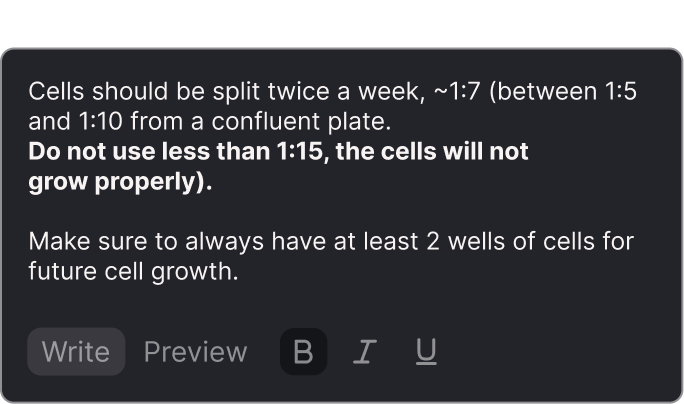
Not every detail belongs inside a workflow step. I created a space for experiment-wide notes, allowing researchers to keep assumptions and reminders with the protocol.
Closer look: Notes while running
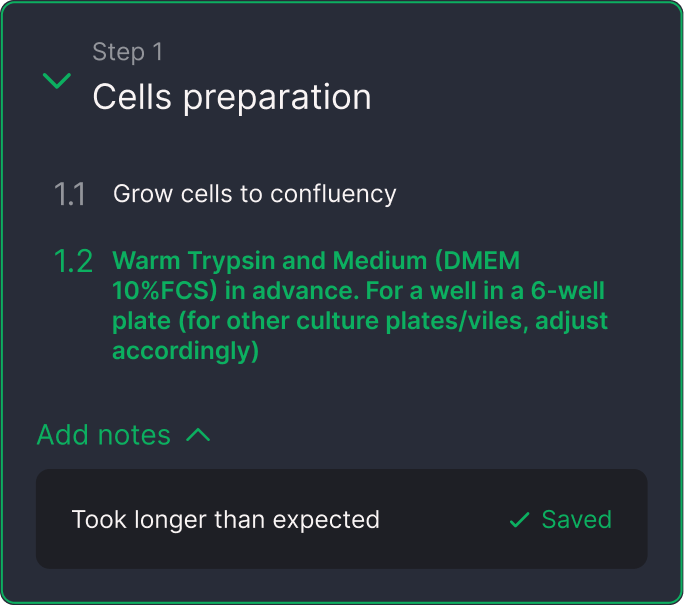
Experiments rarely unfold exactly as planned. I allowed researchers to attach notes to the current step, so observations become part of the protocol while the work is still happening.

Conclusions

This project challenged me to design beyond individual screens and think about an entire scientific workflow. Three ideas shaped the direction of the product:
  1. Planning, execution, and documentation work best as one connected experience.
  2. Designing around existing research habits can be more valuable than creating new ones.
  3. Experiments rarely go exactly as planned, and the workflow should be able to evolve with them.
Looking ahead
I would validate this workflow with researchers by following a complete experiment from planning to execution.
I would also explore how voice capture could support real-time documentation without adding complexity across editing and execution.

More Projects

Paz Charge

UX Design
UX audit
UI Design
Prototyping
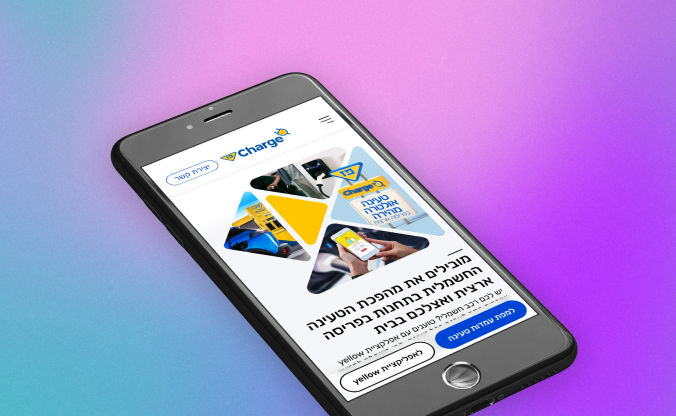
A redesign based on UX audit, site architecture and brand aligned UI design.

Mix & Drinx

UX Research
UX Design
UI Design
Branding
Micro-copy
Prototyping
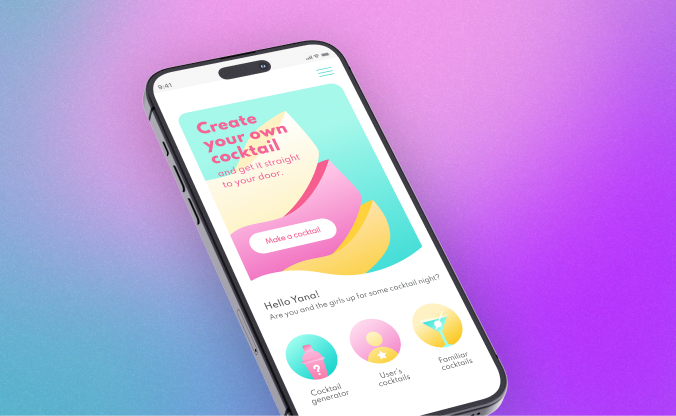
Mix & Drinx is a user-centered cocktail app designed for people who love to experiment with flavors.
Projects
Paz Charge
Google Calendar
Xplanner
Mix & Drinx
About Me
Reach Out - I don't bite